Quick answer
What should software for retail shops in Mohali do?
Software for retail shops in Mohali should make GST bills fast with barcode scanning, keep stock correct across counters and branches, record cash, card and UPI payments, send bills on WhatsApp, track loyalty points, share sales data with Tally and show clear daily reports. It should be easy for counter staff and keep billing during slow internet.
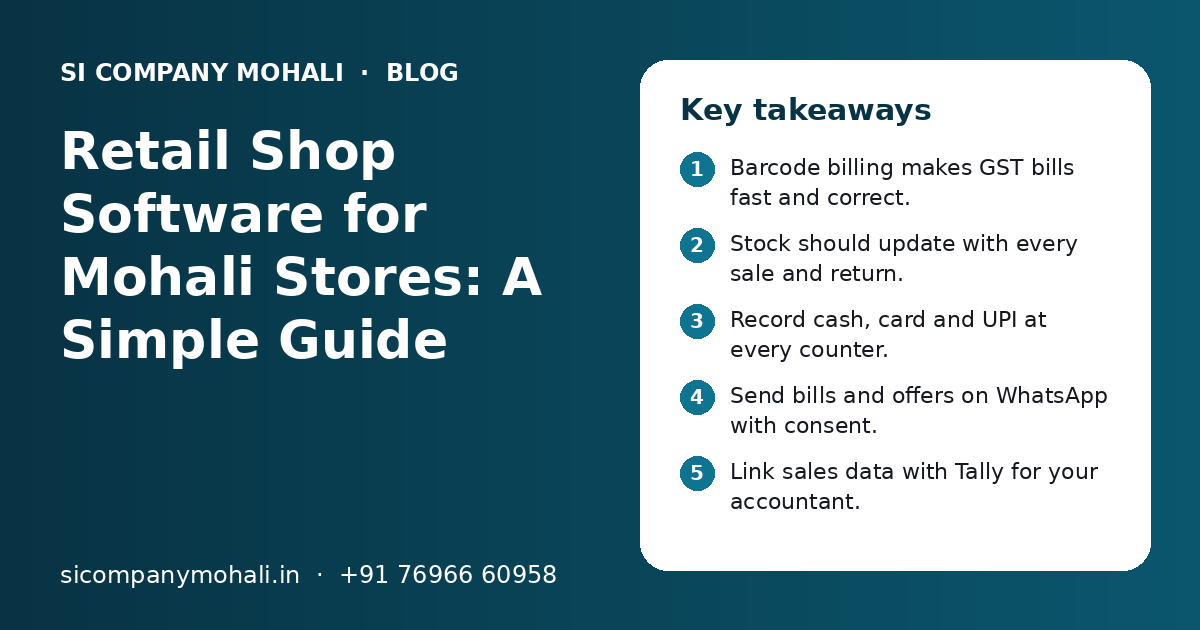
Key takeaways
- Barcode billing makes GST bills fast and correct.
- Stock should update with every sale and return.
- Record cash, card and UPI at every counter.
- Send bills and offers on WhatsApp with consent.
- Link sales data with Tally for your accountant.
- Test with your own items before going live.
What is software for retail shops, and which Mohali shops need it?
Software for retail shops is a system that handles billing, stock, payments, customers and reports at the counter. Any shop in Mohali that sells many items a day, keeps stock worth real money or has more than one counter will save time with it.
We work with shops in Mohali markets like Phase 3B2, Phase 7 and Sector 70. We serve shops in Kharar and Zirakpur from our nearby Mohali office. The type of shop changes what the software must do.
Garment and footwear shops
Size and colour for each design, barcode tags, exchanges and season sales.
Grocery and kirana stores
Fast billing of many items, loose items by weight, and low stock alerts.
Electronics and mobile shops
Serial or IMEI numbers, warranty dates and finance or EMI notes on bills.
Pharmacy-style stock
Batch numbers and expiry dates, so old stock is sold first and expired stock is not sold.
Which features should retail billing software have?
The core features are GST billing, barcode scanning, stock tracking, payment records, customer records, staff logins and daily reports. Loyalty, WhatsApp bills, branch transfers and a Tally link are the next most useful.
| Feature | What it does | Why it matters for a shop |
|---|---|---|
| GST billing | Makes bills with GSTIN, HSN code and tax split | Bills are correct for customers and for GST filing |
| Barcode scanning | Adds items to the bill with one scan | Faster billing and fewer wrong prices |
| Stock tracking | Reduces stock on sale and adds it on purchase or return | You know what is on the shelf right now |
| Payments | Records cash, card, UPI and part payments | The cash drawer matches the system at closing |
| Customer records | Saves name, phone and past bills | Easy returns, loyalty and repeat sales |
| Staff logins | Each person has their own login and rights | You know who gave a discount or cancelled a bill |
| Reports | Daily sales, item sales, stock value and payment mode | Clear numbers for the owner every day |
| Tally link | Sends sales and purchase data for accounts | Less typing for your accountant |
Start with the core features. Add the rest when your team is used to the basics.
How do barcode billing and stock work together?
Every item gets a barcode, either from the maker or printed in your shop. When the item is scanned at the counter, the bill is made and stock goes down at the same moment.
Barcodes for garments and footwear
In a garment or footwear shop, one design comes in many sizes and colours. Each size and colour gets its own barcode. So you can see that a shirt in size 40 is finished, while size 42 is still on the shelf.
Loose items and batches
Grocery shops sell some items by weight, like dal, rice or dry fruits. A weighing scale that prints a barcode label helps here. Shops with pharmacy-style stock should also record the batch number and expiry date at purchase. Then the software can warn you before stock expires.
- 1
Enter purchase
Add the supplier bill with item, quantity, cost and GST. Stock goes up.
- 2
Print barcode labels
Print labels for items that do not have a maker barcode.
- 3
Scan and bill
The cashier scans items. Price, tax and discount come from the item master.
- 4
Handle returns
A return or exchange is made against the old bill. Stock goes back up.
- 5
Count stock
Count stock each month with a barcode scanner. The software shows the gap between real and expected stock.
For shops with a large godown or many suppliers, our inventory management software adds deeper stock control, such as reorder levels and godown transfers.
How should GST, UPI and WhatsApp bills work in a shop?
GST should be set once in the item master and then applied the same way on every bill. UPI and card payments should be recorded on the bill, and the bill can be sent to the customer on WhatsApp as a PDF.
- Your GSTIN, legal name and address print on every bill.
- Each item has the HSN code and tax rate given by your CA.
- Bills show the tax split clearly, such as CGST and SGST for local sales.
- Bill numbers run in order, with no gaps or repeats.
- Cancelled bills are kept with a reason, not deleted.
- UPI, card and cash are recorded separately for each bill.
- Split payments, such as part cash and part UPI, are allowed.
- Customers can get the bill on WhatsApp instead of paper.
Sending bills on WhatsApp saves paper and gives the customer a record they will not lose. Offer and festival messages need customer consent and approved message templates. Our WhatsApp API integration page explains how this works.
Can one software run many counters and branches?
Yes. Good retail software lets many counters bill at the same time and lets many branches share one item list, one customer list and one set of reports. Each branch still sees its own stock.
A shop owner with one store in Phase 7 and another in Kharar should not need two separate systems. With one system, the owner can see the sales of both shops on a phone in the evening.
- Many counters in one shop bill at the same time without clashes.
- Stock transfer between branches is recorded on both sides.
- Prices and offers can be the same for all branches or set per branch.
- Each branch manager sees only their own branch, if you want.
- The owner sees all branches in one report.
- Billing can continue when the internet is slow and sync later.
Shops that also sell online can keep one stock for the shop and the website. Our ecommerce technology team connects online stores with shop stock so you do not sell an item that is already gone.
Need help with your project?
Talk to the SI Company Mohali team. Free first call, simple advice, clear quote.
How do loyalty, reports and the Tally link help a shop?
Loyalty points bring customers back, reports show what sells and what does not, and the Tally link saves your accountant from typing every bill again. Together they turn daily billing into useful information.
Loyalty
The customer gives a phone number at billing. The software adds points for each purchase. On the next visit, the points can be used for a discount. You can also see which customers have not come back in a long time.
Reports
Reports show daily sales, top and slow items, stock value and discounts by staff, so you can act early.
Tally link
Many shops in Mohali keep accounts in Tally. The retail software can send daily sales, purchases and GST data to Tally, or give an export file in the format your accountant uses. Our API integration team sets up these links. For live sales charts across branches, see our data analytics work.
Ready-made or custom retail software: which is better?
Ready-made software is better for a single shop with a normal billing process. Custom software is better for chains, wholesale plus retail, special pricing rules or links with your own website and apps.
| Point | Ready-made retail software | Custom retail software |
|---|---|---|
| Start time | Quick, often a few days | Built in phases over weeks |
| Fit | You follow its process | Built around your process |
| Cost pattern | Monthly or yearly fee per counter or branch | Build cost, then hosting and optional support |
| Changes | Only what the vendor offers | Added when your business needs them |
| Many branches | May need a higher plan | Planned from the start |
| Data | Stored with the vendor | Stored on your own server or cloud account |
Some owners keep ready-made billing and add a custom stock app or dashboard around it. Larger groups often move to a full ERP software that joins purchase, stock, sales and accounts.
How do you set up retail software in your shop, step by step?
Clean your item list, test the software with your own items and staff, and switch on a normal weekday, not during a sale or festival week. Keep the old way ready for the first few days.
- 1
Write down your needs
Number of counters, branches, items, suppliers and the reports you want. Note any special rules, like wholesale rates.
- 2
Clean your item list
Item names, sizes, colours, HSN codes, tax rates, MRP and selling price. Remove old items you no longer sell.
- 3
Check hardware
Billing computer, barcode scanner, label printer, bill printer and a backup internet connection.
- 4
Enter opening stock
Count the stock in the shop and godown and enter it. This is the base for all future stock reports.
- 5
Test with real bills
Ask cashiers to make sample bills, returns, exchanges and closings with your real items.
- 6
Train by role
Cashiers learn billing and closing. Store staff learn purchase and labels. The manager learns reports.
- 7
Go live and check daily
Match cash, UPI and stock every day for the first two weeks and fix small issues quickly.
Our software go-live checklist has more checks for launch day.
What affects the cost of software for retail shops in Mohali?
Cost depends on the number of counters and branches, the type of stock, the features you need, the links with other tools and whether you choose ready-made or custom software. You get a clear quote after a free call.
| Cost factor | Lower effort | Higher effort |
|---|---|---|
| Counters and branches | One shop, one counter | Many branches with stock transfer |
| Type of stock | Simple items | Sizes, colours, batches, expiry or serial numbers |
| Pricing rules | One price per item | Wholesale, member and branch-wise prices |
| Links | No links | Tally, website, app, WhatsApp and payment links |
| Reports | Standard reports | Custom dashboards for the owner |
| Data move | Fresh start | Moving years of old items and customers |
Hardware such as scanners and printers is a separate cost. Our page on what affects software cost explains these factors in more detail.
What mistakes should shop owners avoid, and who can help in Mohali?
The common mistakes are a messy item list, shared logins, no opening stock count and no backup plan for internet or power. Each one leads to wrong stock and money that cannot be traced.
- Do not let all staff use the owner's login.
- Do not skip the opening stock count.
- Do not create the same item twice with different names.
- Do not start in a sale week or festival rush.
- Do not choose software you cannot export your data from.
- Do not ignore the daily discount and cancelled bill report.
SI Company Mohali is powered by Shivah Web Tech, with 11+ years of work, a 25+ member in-house team and 500+ projects. Our office is in Mohali, and we serve Kharar, Zirakpur and Chandigarh from our nearby Mohali office. Office hours are Mon–Fri 9:30–6:30 IST, with 24x7 emergency support for urgent issues. Our custom software development team builds retail tools, and our IT support team helps with counters, printers and networks.
Frequently Asked Questions
Which is the best billing software for a small shop in Mohali?
There is no single best option for every shop. A small shop needs fast barcode billing, GST bills, cash and UPI records, simple stock and a daily sales report. Ready-made software often fits a single shop well. If you plan more branches, wholesale sales or online selling, ask about custom software that can grow with you.
Can retail billing software work without internet?
Many systems can keep billing when the internet is down and send data to the cloud once it comes back. Ask the vendor to show this in a real test. Keep a backup connection like a mobile hotspot and a power backup for the billing computer, so the counter does not stop on a busy day.
Can I send GST bills to customers on WhatsApp?
Yes. Retail software can send the bill as a PDF to the customer's WhatsApp number at the time of billing. This saves paper and gives the customer a record. For offers and festival messages, you need customer consent and approved message templates through the WhatsApp Business Platform.
How long does it take to set up software for a retail shop?
Ready-made software for one shop can often be set up in a few days once the item list, tax rates and hardware are ready. Custom retail software is usually built in phases over a few weeks or months, based on branches, links and reports. The item list and opening stock often take the most time.
What does retail shop software cost in Mohali?
Cost depends on the number of counters and branches, the type of stock, pricing rules, links with Tally or a website, reports and data migration. Ready-made software has a recurring fee, while custom software has a build cost and running costs. We do not share fixed prices online. You get a clear quote after a free call.
Do you serve retail shops in Kharar and Zirakpur?
Yes. Our office is in Mohali, and we serve Kharar, Zirakpur and Chandigarh from our nearby Mohali office. We can visit your shop to understand the counter, stock and billing flow. Most support after launch is done remotely, with on-site visits when hardware or network checks are needed.