Quick answer
What should a business check before new software goes live?
A software go-live checklist covers six areas: the software is tested by real staff with real cases, old data is moved and checked, every user has the right login, backups and security are in place, staff are trained, and a support plan is ready for the first days. Skipping any of these is the main cause of a rough launch.
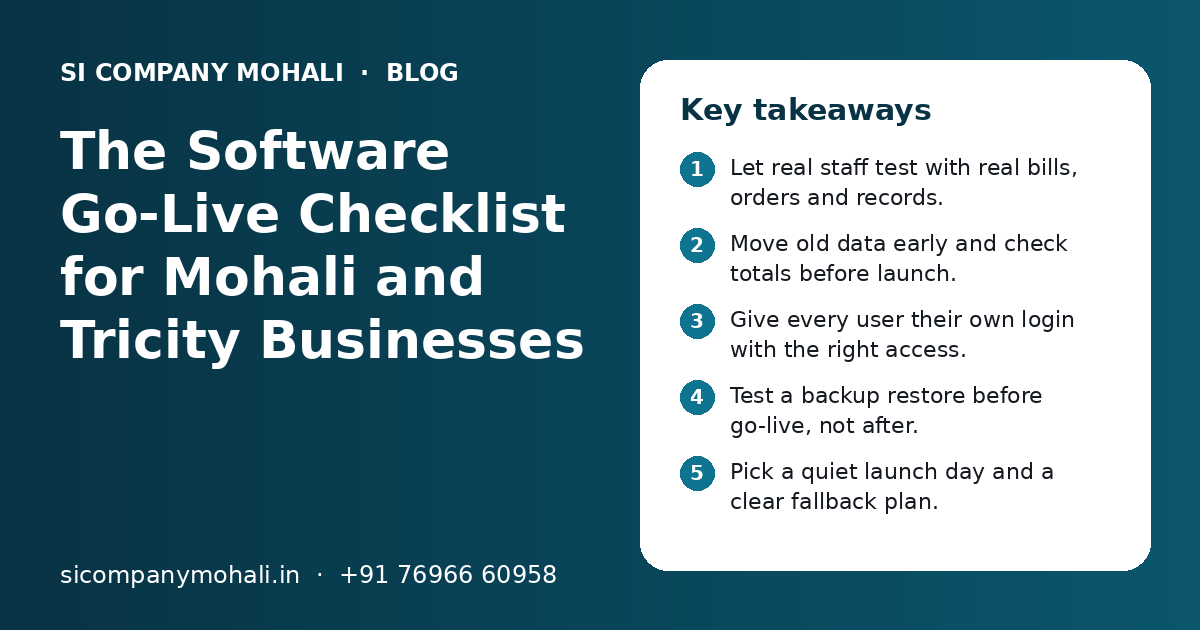
Key takeaways
- Let real staff test with real bills, orders and records.
- Move old data early and check totals before launch.
- Give every user their own login with the right access.
- Test a backup restore before go-live, not after.
- Pick a quiet launch day and a clear fallback plan.
- Keep extra support ready for the first weeks.
What is a software go-live checklist, and why do you need one?
A software go-live checklist is a list of checks you finish before new software starts running your daily work. It makes sure the software, the data and the people are all ready on the same day.
Most launch problems are not big bugs. They are small things. A GST number is missing for a customer. A staff member cannot log in. The invoice prints on the wrong paper size. The opening stock does not match. Each one is easy to fix, but ten of them on the same morning can stop the counter.
A checklist catches these before customers notice. Whether you run a shop in Phase 3B2, a unit in the Industrial Area or an office in Sector 82, the same basic checks apply. We use a list like this with businesses we serve from our Mohali office, and you can use it with any vendor.
Is the software really tested? The testing checklist
The software is ready only when your own staff have tested it with real work, not just when the developer says it works. Developer testing checks the code. Your testing checks that it fits your business.
- Each main task has been done end to end, such as order to invoice to payment.
- Tests used real examples from last month, not made-up data.
- Unusual cases were tried: returns, discounts, part payments, cancelled orders.
- GST is correct on invoices for local and outside-state customers.
- Printed bills, receipts and reports look right on your printer and paper.
- The software was used on the phones and computers your staff actually use.
- Reports match what you calculate by hand for the same period.
- Every bug found has been fixed and tested again.
Who should test?
Pick one person from each team that will use the software. The billing clerk, the store keeper, a sales person and the accountant each see different problems. The owner should test the reports. Give them time away from their normal work to do it properly.
Is your old data moved and checked? The data checklist
Data is ready when old records are moved, cleaned and checked against your old system. Wrong opening balances or stock are the most common go-live problem.
- 1
Decide what to move
Customers, suppliers, products, prices, opening stock and pending balances are usual. Decide how many years of old bills you really need inside the new system.
- 2
Clean the data
Remove duplicate names, fix phone numbers and GSTINs, and use one format for product names and units.
- 3
Do a trial import
Import into a test copy first. Look for missing fields, wrong spellings and broken rows.
- 4
Match the totals
Compare total stock, total receivables and payables with the old system. They must match before go-live.
- 5
Do the final import
Freeze the old system at a set time, take the final numbers and import them. Then check totals once more.
Keep the old data safe as an archive even after you switch. You may need it for audits, GST queries or old customer questions. If your data sits in Excel or old desktop software, our web application development team plans the import as part of the project.
Are users, access and security ready? The access checklist
Access is ready when every person has their own login, sees only what their job needs, and the owner has full control. Shared logins make it impossible to know who did what.
- Every staff member has a separate username and password.
- Roles are set: who can give discounts, delete bills or see profit.
- The owner or a trusted manager has the main admin login.
- Two-step login is on for admin accounts, where it is available.
- Logins of people who left during the project are removed.
- Passwords are not written on sticky notes near the counter.
- The domain, server and admin logins are in the company's name, not a vendor's.
That last point matters a lot. Your business should own the accounts that run your software. Our post on who owns the source code of custom software explains what you should receive at handover.
Are backups and a fallback plan in place? The safety checklist
Safety is ready when backups run on their own, you have tested restoring one, and staff know what to do if the software stops. Do this before launch, not after the first problem.
| Check | What to confirm | Who owns it |
|---|---|---|
| Automatic backup | Runs daily, stored in a separate place | Vendor or IT support |
| Restore test | A backup was restored once and the data was complete | Vendor, with owner watching |
| Server or cloud plan | Enough space for growth, renewal date noted | Owner and vendor |
| Internet backup | Second connection or mobile hotspot ready | Office manager |
| Power backup | Inverter or UPS for main computers and router | Office manager |
| Manual fallback | Paper or sheet method if the system is down | Team leads |
A fallback plan sounds old-fashioned, but it keeps the business running. Decide how the counter will note sales if the internet goes down for an hour, and who will enter those sales later. If your software runs online, our cloud solutions page explains how backups and server space are planned.
Need help with your project?
Talk to the SI Company Mohali team. Free first call, simple advice, clear quote.
Is your team trained and ready? The people checklist
People are ready when each user has done their own daily tasks in the new software at least a few times before launch. A single group demo is not enough.
- Training was given by role: billing staff learn billing, store staff learn stock.
- Each person practised on a test copy with sample entries.
- A short guide or video is available for the main tasks, in Hindi or Punjabi if needed.
- One person in each team is the go-to helper for others.
- Staff know who to call or WhatsApp when they are stuck.
- Old forms, registers or Excel sheets have a clear stop date.
Some staff will be nervous. Tell them early why the change is happening and how it makes their work easier. Mistakes in the first days are normal, and nobody should be blamed for them. Ask the go-to helpers to collect common doubts, so the next training round can cover them.
How do you plan the launch day itself?
Pick a quiet day, start early, keep the vendor team on standby and decide in advance when you would roll back. A calm launch is a planned launch.
Choosing the right day
Avoid month-end, GST filing days, festival rush and big sale days. For many Mohali shops, that means avoiding the Diwali season and wedding season peaks. A normal weekday early in the month is often a good choice. Many firms also start with one branch or one team first.
Big switch or parallel run?
| Method | How it works | Good for | Watch out for |
|---|---|---|---|
| Big switch | Old system stops, new one starts the same day | Small teams, simple software | Little room for error |
| Parallel run | Old and new run side by side for a short time | Billing and accounts, where totals must match | Double work for staff |
| Phased launch | One branch or module goes live first | Many branches or a large ERP | Some data lives in two places for a while |
- Freeze the old system at a fixed time.
- Import final balances and check totals.
- Open the new system for a small test entry.
- Let the first team start real work.
- Check the first bills, payments and stock entries closely.
- Review at the end of the day and note issues for the vendor.
What support do you need after go-live?
Plan for extra support in the first weeks after launch. This is when most questions, small bugs and change requests come up.
- A named contact at the vendor for the first weeks.
- A clear way to report issues, such as a WhatsApp group or ticket form.
- Agreed response time for urgent problems that stop billing.
- A list where small change requests are collected and planned.
- A review meeting after the first weeks to look at what worked.
- An ongoing support or maintenance plan after the warranty period.
Keep bugs and new wishes separate. A bug is something that does not work as agreed. A new wish is a change. Both are valid, but mixing them causes confusion about cost and time. Our IT support in Mohali team handles day-to-day help after launch, and urgent issues are covered by 24x7 emergency support.
What go-live mistakes should you avoid?
The biggest go-live mistakes are rushing testing, launching on a busy day and switching off the old system with no backup. All of them are easy to avoid with a little planning.
Do this
- Test with real cases from your own business
- Match opening totals before launch
- Start with one team or branch if you can
- Keep the old data as a safe archive
- Keep the vendor on standby on launch day
Avoid this
- Launching just to meet a date when tests are not done
- Going live during festival rush or month-end
- Sharing one login across the counter
- Training staff only once, weeks before launch
- Adding new features on launch week
If a launch date is near and you are not sure the software is ready, it is better to move the date by a few days than to launch with known problems.
How can SI Company Mohali help with your software launch?
We plan go-live as part of every project: testing with your staff, data import, training, backups and support in the first weeks. We can also review a launch plan for software built by another team.
Our team builds custom software, CRM, web apps and automation for businesses in Mohali, Kharar, Zirakpur and Chandigarh. Since our office is in Mohali, we can visit your site for training and launch day when needed.
SI Company Mohali is powered by Shivah Web Tech, with 11+ years of experience, a 25+ person in-house team and 500+ projects delivered. We work Monday to Friday, 9:30 to 6:30 IST, with 24x7 emergency support for urgent issues.
For a second opinion on a launch plan, talk to our technology consulting team, or contact us for a free call and a clear quote.
Frequently Asked Questions
What should I check before new software goes live?
Check six things. Staff have tested the software with real cases. Old data is moved and the totals match. Every user has their own login with the right access. Backups run on their own and one restore has been tested. Staff are trained on their own tasks. A support plan is ready for the first weeks after launch.
Should we run the old and new software together for some time?
A short parallel run is useful for billing and accounts, where totals must match exactly. Staff enter work in both systems and you compare the results. It means double work, so keep it short and agree on a clear end date. For simple software with a small team, a direct switch is often fine.
Who should test new software before launch?
The people who will use it every day. Pick one person from each team, such as billing, stock, sales and accounts, and let them try real tasks from last month. The owner should check the reports. Developers test the code, but only your own staff can confirm the software fits how your business really works.
What is the best day to launch new business software?
Pick a quiet working day. Avoid month-end, GST filing dates, festival rush and big sale days. Early in the month on a normal weekday is often a good choice. Start in the morning so there is a full working day to fix small issues, and make sure the vendor team is available that day.
What if the new software has problems on launch day?
Small problems are normal and should be noted and fixed quickly. For serious problems, such as billing stopping completely, follow the fallback plan you agreed before launch. That may mean noting sales on paper for a short time or going back to the old system until the fix is ready. Decide this before launch day.
How much training do staff need before go-live?
Each person should practise their own daily tasks several times on a test copy before launch. Training by role works better than one big demo for everyone. Give a short guide or video for main tasks, in Hindi or Punjabi if that helps, and name one helper in each team for questions.
Do you help with go-live for software made by another company?
Yes. We can review the launch plan, test key flows, check data import and backups, and train staff, even if another team built the software. We first look at what has been done and what is missing, then share a clear plan. You get a clear quote after a free call.