Quick answer
What should software for coworking spaces in Mohali do?
Software for coworking spaces in Mohali should handle desk, cabin and meeting room booking, member plans, monthly GST invoices and UPI payments. It should also record visitors at the front desk, control Wi-Fi or door access for each member, send reminders on WhatsApp and show simple reports on occupancy, dues and renewals.
Key takeaways
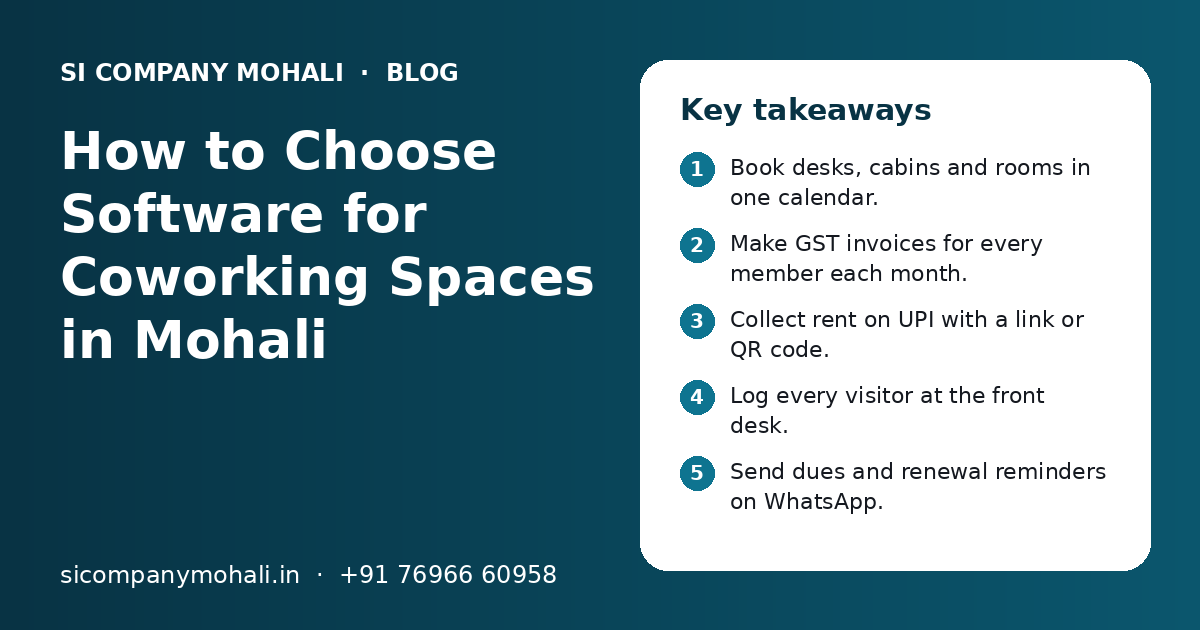
- Book desks, cabins and rooms in one calendar.
- Make GST invoices for every member each month.
- Collect rent on UPI with a link or QR code.
- Log every visitor at the front desk.
- Send dues and renewal reminders on WhatsApp.
- Check occupancy and dues reports every week.
What is software for coworking spaces, and who in Mohali needs it?
Software for coworking spaces is one system that manages members, seats, bookings, bills, payments, visitors and access for a shared office. Any coworking space or shared office in Mohali with more than a handful of members will save time with it.
Many small spaces start with a spreadsheet, a WhatsApp group and a paper visitor register. That breaks once hot desks, cabins, day passes and room bookings run together. Rooms get double booked, bills go out late and old members keep their Wi-Fi login.
Mohali has shared offices in places like Phase 8B, Industrial Area Phase 8, Sector 82 and Aerocity. We work with businesses across Mohali, and we serve Kharar and Zirakpur from our nearby Mohali office. The needs are similar everywhere: clear bookings, correct bills and a calm front desk.
Which features should coworking software have?
The core features are member records, desk and cabin booking, meeting room booking, GST billing, UPI payments, visitor entry, access control, WhatsApp reminders and reports. Start with these and add extras later.
| Feature | What it does | Why it matters |
|---|---|---|
| Member records | Stores each member, company, plan, start date and documents | One place to see who is a member and on which plan |
| Desk and cabin booking | Shows which hot desks, fixed desks and cabins are free or taken | No double booking and no empty seats you forgot about |
| Meeting room booking | Members book room slots from a phone, within their free hours | Fewer clashes and fair use of rooms |
| Member billing with GST | Makes monthly invoices for plans, extra room hours and add-ons | Correct bills sent on time, every month |
| UPI and online payments | Sends a payment link or QR code and marks the bill paid | Faster collection and fewer reminders by phone |
| Visitor entry | Logs guests at reception and tells the member they have arrived | Better security and a professional front desk |
| Access and Wi-Fi | Gives each member a login or access card and stops it when they leave | Only current members can enter or use the network |
| WhatsApp reminders | Sends booking confirmations, dues reminders and renewal notices | Members see the message, and staff make fewer calls |
| Reports | Shows occupancy, dues, renewals and room use | The owner can plan pricing and space with real data |
How does desk, cabin and meeting room booking work?
Every desk, cabin and room is added to the software with its type and rules, and members or staff book them on a shared calendar. The software blocks a slot once it is taken, so two people cannot book the same space.
Desks and cabins
Fixed desks and cabins are linked to a member for the length of their plan. Hot desks are booked by the day or by the half day. The front desk sees a simple floor view of what is free and what is taken.
Meeting rooms
Each plan can include free meeting room hours each month. When a member uses more than their free hours, the extra time is added to their next bill. Outside guests can also book a room with an online payment.
How should a coworking space handle member billing with GST and UPI?
The software should make a GST invoice for each member on a fixed date every month, add extra room hours or add-ons, and send the invoice with a UPI payment link. When the member pays, the bill is marked as paid without manual work.
Your CA decides the correct tax rates and codes for desk rent, cabins, room hours and add-ons. The software then applies those rates the same way on every invoice.
- Your GSTIN, business name and address print on every invoice.
- The member company's GSTIN can be added, so they can claim input tax credit as per GST rules.
- Invoice numbers run in order, with no gaps or repeats.
- Security deposits are recorded separately from monthly rent.
- A UPI QR code or payment link is sent with each invoice.
- Part payments and dues are shown clearly for each member.
If your accountant works in Tally or another accounts tool, the software can send invoice and payment data to it. Our API integration team can connect the two so no one types the same bill twice.
How do visitor entry, Wi-Fi and door access fit in?
The front desk logs each visitor in the software, and the member gets a message that their guest has arrived. Each member gets their own Wi-Fi login or access card, which is turned off on the day the member leaves.
- 1
Guest arrives
Reception enters the visitor's name, phone number and the member they are meeting, or the guest fills a short form on a tablet.
- 2
Member is told
The member gets a WhatsApp or in-app message that the guest is waiting.
- 3
Guest gets access
Reception gives a visitor badge or a short-term Wi-Fi code if your rules allow it.
- 4
Guest leaves
Reception marks the exit time, so the log shows who was inside at any time.
- 5
Member leaves the space
When a plan ends, the software turns off the member's Wi-Fi login and access card on the same day.
Wi-Fi and door locks come from many hardware makers. Some have a way to connect to software and some do not. We check your router, firewall and lock system first and tell you what can be linked. Our IT support team can also help set up a safe network with a separate guest Wi-Fi.
Need help with your project?
Talk to the SI Company Mohali team. Free first call, simple advice, clear quote.
How can WhatsApp reminders reduce work at the front desk?
The software sends booking confirmations, dues reminders, renewal notices and visitor alerts on WhatsApp automatically. Members read the message quickly, and your staff spend less time on calls.
- "Your meeting room is booked for 3 pm today. Reply 2 to cancel."
- "Your invoice for this month is ready. Pay here with UPI."
- "Your plan ends next week. Reply 1 to renew."
- "Your guest has arrived at reception."
Our WhatsApp API integration team connects your coworking software to the official platform. If you get many enquiries for seats and tours, a simple CRM can track each lead from the first call to a signed plan.
Ready-made coworking software or custom software: which is better?
Ready-made coworking software is better for a single centre with standard plans. Custom software is better when you run more than one centre, sell unusual plans, need your own member app or want links to local tools that a ready product does not support.
| Point | Ready-made coworking software | Custom coworking software |
|---|---|---|
| Start time | Quick, often within days | Built in phases over weeks |
| Fit | You follow its plans and screens | Built around your plans and process |
| Cost pattern | Monthly or yearly fee, often per member or per centre | Build cost, then hosting and optional support |
| Indian billing | GST and UPI support varies by product | Built for GST invoices and UPI from the start |
| May need a separate tool | Connected to the official platform as part of the build | |
| Many centres | May need a higher plan | Planned from day one |
| Data | Stored with the vendor | Stored in your own cloud account |
Some owners keep a ready tool and add a custom portal or WhatsApp flow around it. Our business automation team can look at how your space runs and suggest the simplest path.
How do you set up coworking software step by step?
Write down your plans and rules, add your spaces and members, test billing and booking for one month on paper, then go live with all members. Keep the old spreadsheet for a few weeks as a backup.
- List every desk, cabin and meeting room, with its type and rules.
- Write down each plan, its price, free room hours and deposit rules.
- Ask your CA for the tax rates and codes for each item you sell.
- Add current members with their plan, start date and GSTIN if any.
- Run one test billing cycle and compare it with your old bills.
- Set up WhatsApp templates and the payment gateway.
- Train the front desk on bookings, visitors and access.
- Share the member portal link and a short guide with every member.
- Check dues, bookings and visitor logs daily for the first two weeks.
If you are moving from spreadsheets, our software go-live checklist explains how to switch without stopping daily work.
What affects the cost of software for a coworking space?
Cost depends on the number of centres and members, the features you need, the hardware you want to connect and whether you choose ready-made or custom software. We do not share fixed prices online; you get a clear quote after a free call.
| Cost factor | Lower effort | Higher effort |
|---|---|---|
| Centres | One centre | Many centres with shared members |
| Plans | A few standard plans | Many plans, discounts and custom deals |
| Member access | Staff-only screens | Member portal plus a mobile app |
| Hardware links | None | Door locks, access cards and Wi-Fi logins |
| Integrations | Invoice export only | Accounts tool, payment gateway and website booking |
| Reports | Basic dues and occupancy | Detailed reports by centre, plan and month |
Hardware such as access cards, locks, a reception tablet and routers is a separate cost. Our page on software development cost explains these factors in more detail.
What mistakes should coworking owners avoid with software?
The common mistakes are choosing software before writing down your plans, skipping GST checks, sharing one staff login and forgetting to turn off access for members who leave. Each one is easy to avoid with a little planning.
- Do not pick a tool before you write down your plans and rules.
- Do not guess tax rates. Get them from your CA first.
- Do not share one login among all staff. Give each person their own.
- Do not forget to stop Wi-Fi and door access when a member leaves.
- Do not keep visitor data longer than you need, and limit who can see it.
- Do not skip backups. Member and billing data must be safe.
SI Company Mohali is powered by Shivah Web Tech, with 11+ years of work, a 25+ member in-house team and 500+ projects. We build booking, billing, portal and WhatsApp tools for local businesses, and our cloud solutions team can host your data with daily backups. Office hours are Mon–Fri 9:30–6:30 IST, with 24x7 emergency support for urgent issues.
Frequently Asked Questions
What is the best software for a small coworking space in Mohali?
There is no single best option for every space. A small coworking space needs member records, desk and room booking, GST invoices, UPI payment links, a visitor log and WhatsApp reminders. A ready-made tool often fits one centre with simple plans. If you plan more centres or your own member app, ask about custom software that can grow with you.
Can coworking software make GST invoices automatically every month?
Yes. You set each member's plan and billing date once. The software then makes the GST invoice on that date, adds extra meeting room hours or add-ons, and sends it with a payment link. Your CA should confirm the tax rates and codes before you start, so every invoice is correct.
Can members pay coworking rent by UPI?
Yes. The software can add a UPI QR code to each invoice or send a payment link through a payment gateway. When the member pays through the gateway, the bill is marked paid on its own. Direct UPI payments to your account may need a quick manual match by staff, which the software makes easy.
Do I need a mobile app for my coworking members?
Not always. A phone-friendly web portal lets members book rooms, see invoices and pay without installing anything. A mobile app makes sense when you have many members, want push notifications or plan to run several centres. Many spaces start with a portal and add an app later if members ask for it.
Can the software turn off Wi-Fi access when a member leaves?
Often yes, but it depends on your router or Wi-Fi system. Some systems allow software to create and stop logins for each member. Others need staff to do it by hand. We check your current hardware first and tell you what can be linked, so access ends on the day a plan ends.
How long does it take to set up coworking software?
A ready-made tool for one centre can be set up in a few days once your plans, rates and tax details are ready. Custom software is usually built in phases over a few weeks or months, depending on centres, features and hardware links. A test billing cycle before going live is always a good idea.
Do you serve coworking spaces in Kharar, Zirakpur and Aerocity?
Yes. We work with businesses across Mohali, including Aerocity, Sector 82 and Phase 8B, and we serve Kharar and Zirakpur from our nearby Mohali office. We can visit your centre to see the reception, rooms and network. Most support after launch is done remotely, with visits when hardware checks are needed.