Quick answer
What is a good data backup plan for a small business in Mohali?
A good data backup plan for a small business in Mohali keeps three copies of important data, on two types of storage, with one copy outside the office. It covers Tally, CRM, email, WhatsApp and shared files. Backups run on their own, a named person checks them, and you test a restore at least once a month.
Key takeaways
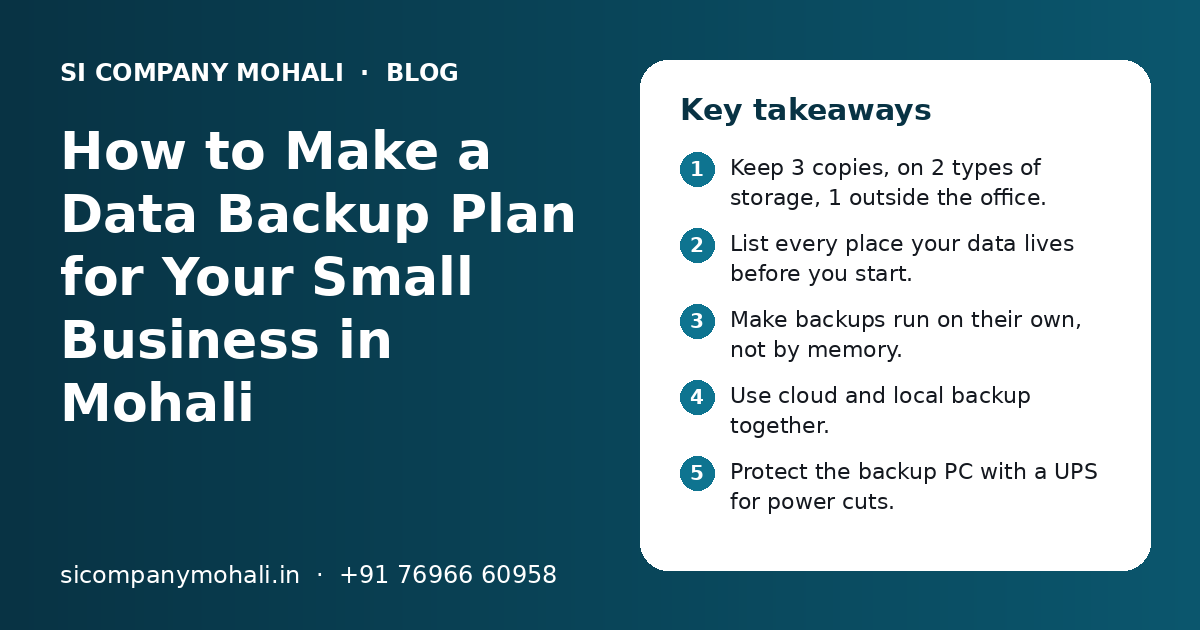
- Keep 3 copies, on 2 types of storage, 1 outside the office.
- List every place your data lives before you start.
- Make backups run on their own, not by memory.
- Use cloud and local backup together.
- Protect the backup PC with a UPS for power cuts.
- Test a restore every month, not just the backup.
What is a data backup plan, and why does a small business need one?
A data backup plan is a written list of what data you copy, where you keep the copies, how often you copy it and who checks it. A small business needs one because one broken laptop or one virus can stop billing, sales and payments for days.
Many shops and offices in Mohali keep everything on one computer. Tally is on the accounts PC, orders come on WhatsApp and bills sit on a phone. This works until a disk fails, a laptop is stolen or someone deletes a folder by mistake.
A backup plan is not about buying costly tools. It is about a clear routine. Even a two-person office in Kharar or a trading firm in Zirakpur can follow it. If any one device is lost today, you should be working again quickly with very little data missing.
What is the 3-2-1 backup rule?
The 3-2-1 rule means you keep 3 copies of your data, on 2 different types of storage, with 1 copy kept outside your office. It is a simple rule that protects you from most common problems.
One problem should never destroy all your copies. A fire, theft or virus can damage the main PC and a USB drive kept next to it. A copy in the cloud stays safe.
| Copy | Where it lives | Example for a small office | What it protects from |
|---|---|---|---|
| Copy 1 | Your main system | Tally on the accounts PC, CRM on the cloud | This is your working data |
| Copy 2 | A second local device | External hard disk or a small office storage box (NAS) | Hard disk failure, wrong deletion |
| Copy 3 | Outside the office | Cloud backup service or a drive kept at the owner's home | Fire, theft, virus, water damage |
What data should a small business back up?
Back up every piece of data that would cost you money, time or customers if it were lost. For most Mohali businesses that means accounts, customer records, email, WhatsApp chats, shared files and the website.
Walk around the office and write down where data lives. Check each computer, each phone and each online account.
- Tally or other accounting data, for every company and every year.
- GST files, invoices, purchase bills and bank statements.
- CRM data: customers, enquiries, follow-ups and notes.
- Email inboxes, sent mail and important attachments.
- WhatsApp and WhatsApp Business chats.
- Excel sheets and shared folders with quotes, contracts and HR papers.
- Website files, database, and domain and hosting logins.
- Important passwords, kept in a password manager.
Tally and accounting data
Tally has its own backup option. Use it to back up each company to a separate folder, then copy that folder to your external drive and to the cloud. Your accountant should know the routine too, especially before year-end.
CRM, email and WhatsApp
If your CRM is online, ask the provider how often they back up and whether you can export your own copy. Our CRM solutions include an export option, so customer data stays with you. For WhatsApp, turn on chat backup to Google Drive on Android or iCloud on iPhone. If many staff chat with customers, WhatsApp API integration keeps chats in one shared place instead of on personal phones.
Cloud backup vs local backup: which is better for a small business?
Neither is better on its own. Local backup is fast to restore, and cloud backup is safe from office problems. A good plan uses both together.
| Point | Local backup (external disk or NAS) | Cloud backup |
|---|---|---|
| Speed to restore | Fast, no internet needed | Depends on your internet speed |
| Safe from fire or theft | No, if kept in the same office | Yes, stored in another place |
| Safe from viruses | Only if unplugged after backup | Yes, if old versions are kept |
| Running cost | One-time cost of the device | Monthly or yearly fee |
| Needs care | Disks wear out and need replacing | Subscription and login must be kept active |
| Works during internet outage | Yes | No |
For most small firms, we suggest a cloud backup for daily safety, plus a local disk for quick restores. If you are thinking of moving your main software to the cloud too, read our page on cloud solutions in Mohali. Cloud software often has backups built in, but you should still keep your own export.
Need help with your project?
Talk to the SI Company Mohali team. Free first call, simple advice, clear quote.
How do you set up a backup plan step by step?
Set up a backup plan in six steps: list your data, decide how often to back it up, choose where copies go, make it automatic, give one person the job of checking it, and test a restore.
- 1
List all your data
Write down every computer, phone, software and online account that holds business data. Note who uses it and how bad it would be to lose it.
- 2
Choose how often
Critical data that changes daily needs a daily backup. Files that change rarely can be backed up weekly.
- 3
Pick where copies go
Follow the 3-2-1 rule: one local copy and one copy outside the office, such as a cloud backup.
- 4
Make it automatic
Use backup software or built-in tools that run on a schedule, so nobody has to remember. Set up email or phone alerts when a backup fails.
- 5
Name an owner
Give one person the job of checking backups every week. Write their name in the plan, with a second person as cover.
- 6
Test a restore
Once a month, bring back a file or a Tally company from backup to a test folder. Check that it opens and the data is complete.
If you do not have an IT person, this is the kind of work our IT support in Mohali team can set up and check for you. We serve businesses across Mohali, Kharar and Zirakpur from our Mohali office.
How often should you back up, and how long should you keep copies?
Back up as often as you can afford to lose data. If losing one day of bills is a problem, back up daily. Keep older copies long enough to catch problems that are noticed late.
For each type of data, ask: if this went missing now, how much work could I redo by hand? The answer tells you how often to back up.
| Data | Suggested backup frequency | How long to keep old copies |
|---|---|---|
| Tally and accounting | Daily, plus before year-end closing | Several months of daily copies, plus year-end copies for many years |
| CRM and orders | Daily | At least a few weeks of daily versions |
| Continuous or daily | As per your business and legal needs | |
| WhatsApp chats | Daily on each work phone | Latest backup, plus important chats exported |
| Shared files and Excel | Daily | A few weeks of versions |
| Website | Weekly, and before every change | A few recent copies |
Indian tax and GST rules expect businesses to keep accounts for a number of years. Ask your CA how long, and do not delete old year-end backups to save space.
How do power cuts and hardware problems affect your backups?
Sudden power cuts can damage files and hard disks, and they can stop a backup halfway. A UPS or inverter on the main PC and the backup device keeps data safe during short cuts.
Power cuts and voltage changes still happen in many parts of the Tricity, especially in summer and during storms. If power goes off while Tally is saving, the company file can be damaged.
- Connect the main PC, the NAS and the internet router to a UPS.
- Make sure the UPS gives enough time to save work and shut down.
- Schedule backups when nobody is working.
- Check the backup log the next morning.
- Replace old external disks before they fail.
When one computer holds everything
A single accounts PC is a common risk. If its disk fails, Tally, Excel and scanned bills can all go at once. Moving shared work to central ERP software on the cloud removes that single point of failure. You still keep your own backups.
How do you test that a backup really works?
You test a backup by restoring it. Bring data back from the backup to a test folder or test computer and check that it opens, is complete and is recent.
Many businesses find out on the worst day that their backup was empty or old. A restore test takes less than an hour and removes that risk.
- Pick one file, one folder and one Tally company to restore each month.
- Restore to a separate test folder, never over your live data.
- Open the restored Tally company and check the latest entries and balances.
- Check the date of the newest file in the backup.
- Write the date and result of the test in a simple log.
What affects the cost of a backup setup, and how can we help?
The cost depends on how much data you have, how many devices, users and software you use, how fast you need to restore, and whether you want someone to check backups for you. You get a clear quote after a free call.
Before you pay any vendor, ask how they back up your data, where copies are stored and whether you can get a full export at any time. Our business automation projects often add automatic exports and morning alerts, so the owner knows last night's backup worked.
SI Company Mohali is powered by Shivah Web Tech, with 11+ years of work and 500+ projects by the parent team. We help small businesses set up cloud and local backups and test restores. We work with firms in Mohali, Kharar, Zirakpur and Chandigarh from our Mohali office, as our software company in Kharar page explains.
Office hours are Monday to Friday, 9:30 to 6:30 IST, and our team offers 24x7 emergency support for urgent issues. To talk about your backup plan, contact us and book a free call.
Frequently Asked Questions
What is the simplest backup plan for a small shop or office?
Start with two things. Set up an automatic daily cloud backup of your Tally data, Excel files and shared folders. Then add an external hard disk that gets a copy every week and is unplugged after use. Turn on WhatsApp chat backup on work phones. Test a restore once a month. This covers most common problems without much cost or effort.
How do I back up Tally data safely?
Use the backup option inside Tally to back up each company to a separate folder. Then copy that folder to an external disk and to a cloud backup. Do this daily if you enter bills every day, and always before year-end closing. Once a month, restore one company to a test folder and open it to check the latest entries. Ask your accountant to follow the same routine.
How do I back up WhatsApp Business chats?
Open WhatsApp Business settings and turn on chat backup. On Android it saves to Google Drive, and on iPhone it saves to iCloud. Choose a daily backup and include media if the photos and bills matter. Make sure the backup is linked to a business account, not a staff member's personal account. For many staff, a shared WhatsApp system keeps chats in one place.
How often should a small business test its backups?
Test a small restore every month and a full restore drill once a year. In the monthly test, bring back one file, one folder and one Tally company to a test location and check they open. In the yearly drill, pretend the main computer is gone and see how long it takes to start working again from backups alone. Note the results in a simple log.
What should I do if my computer crashes and I have no backup?
Stop using the computer straight away, because more use can make recovery harder. Do not install new software on it. Ask a data recovery specialist to check the disk. There is no promise that data can be recovered. Once things are stable, set up a backup plan right away so the same problem cannot hurt your business again.
Can SI Company Mohali set up and check backups for my business?
Yes. We can list where your data lives, set up automatic cloud and local backups, protect key devices against power cuts and test restores with you. We work with businesses in Mohali, Kharar, Zirakpur and Chandigarh from our Mohali office. You get a clear quote after a free call, based on your data, devices and how much help you want.